Playing Cards Output Type
Output Type controls the format the remote sends after you enter a card.
Choose the output type required by the app, shortcut, or effect receiving the card. If the card is correct on the remote but wrong in the app, this is one of the first settings to check.
Use this page in the app to change the active output type or the default output type that loads on startup.
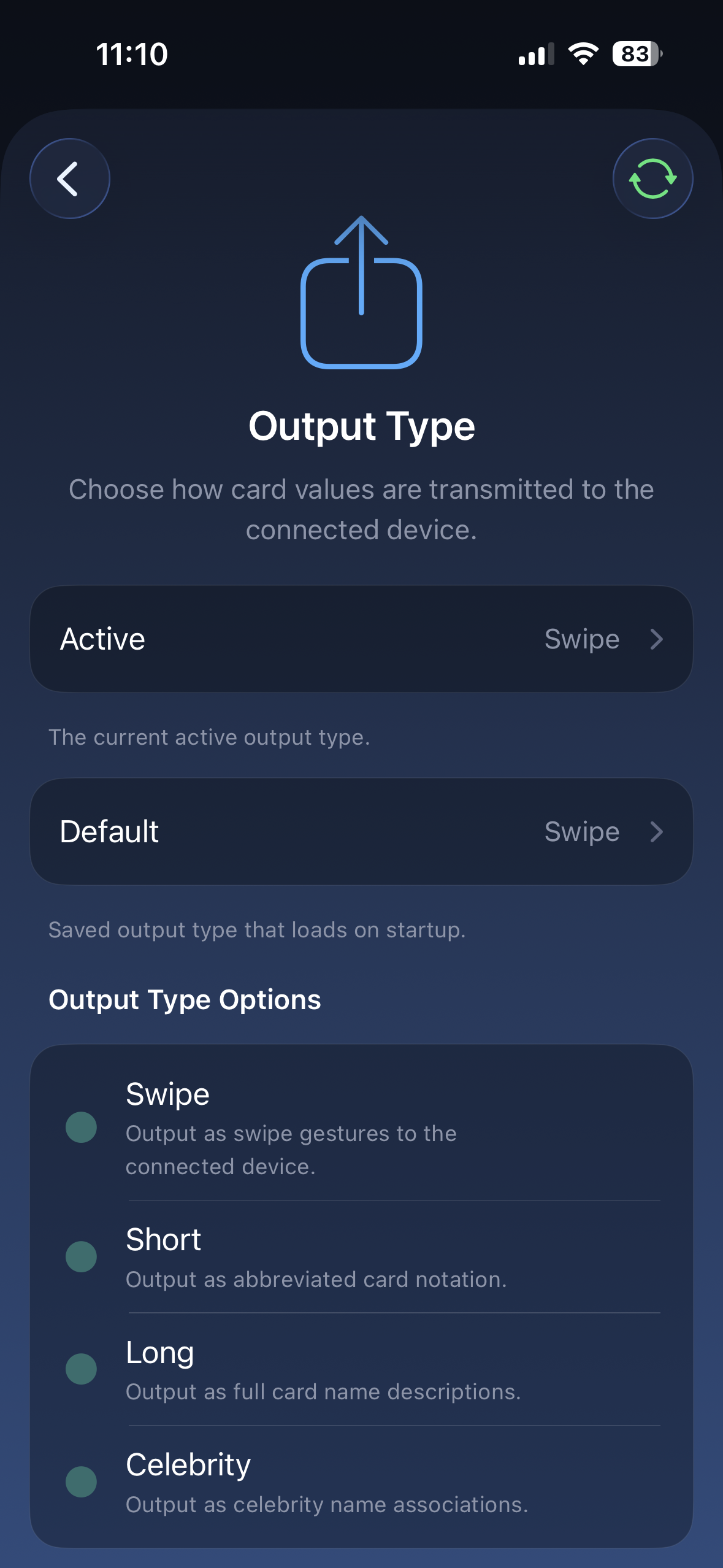
Options
Section titled “Options”| Output Type | What it does | Use it when… |
|---|---|---|
| Swipe | Sends the card as swipe-style input | You are using Inject or the Houdini Card swipe transmitter |
| Short | Sends a compact two-character card code | The app expects a short code like AS or KC |
| Long | Sends the full card name | The app expects plain text like King of Clubs |
| Celebrity | Sends the celebrity tied to that card | Your effect uses celebrity names instead of card names |
How to choose
Section titled “How to choose”Start with the output type named by your app or routine instructions.
If you are building your own workflow, choose the simplest format your receiving app can read. Swipe output is useful for apps that respond to directional input. Short and Long output are useful for apps or automations that read typed card values.
Swipe output was designed for the Inject app and the Houdini Card swipe transmitter.
Use this when the receiving app expects card information through swipe-style input instead of typed text.
Short output sends a compact card code.
| Card | Short output |
|---|---|
| Ace of Spades | AS |
| King of Clubs | KC |
| Queen of Hearts | QH |
| 10 of Diamonds | 10D |
Use this when your app expects a short value-and-suit code.
Long output sends the full card name as text.
| Card | Long output |
|---|---|
| Ace of Spades | Ace of Spades |
| King of Clubs | King of Clubs |
| Queen of Hearts | Queen of Hearts |
| 10 of Diamonds | 10 of Diamonds |
Use this when your app or automation reads normal text.
Celebrity
Section titled “Celebrity”Celebrity output sends the name tied to the selected card.
| Value | Clubs | Hearts | Spades | Diamonds |
|---|---|---|---|---|
| Ace | Brad Pitt | Angelina Jolie | Dwayne Johnson | Adele |
| 2 | Tom Hardy | Beyonce | Tom Cruise | Rihanna |
| 3 | Kanye West | Britney Spears | Leonardo DiCaprio | Nicki Minaj |
| 4 | Simon Cowell | Mariah Carey | Idris Elba | Lady Gaga |
| 5 | Prince Harry | Kate Middleton | Prince William | Meghan Markle |
| 6 | Robert de Niro | Taylor Swift | Ed Sheeran | Miley Cyrus |
| 7 | Cristiano Ronaldo | Selena Gomez | David Beckham | Dua Lipa |
| 8 | Harry Styles | Oprah Winfrey | Arnold Schwarzenegger | Billie Eilish |
| 9 | George Clooney | Julia Roberts | Chris Hemsworth | Kylie Jenner |
| 10 | Lionel Messi | Shakira | Snoop Dogg | Ariana Grande |
| Jack | Justin Bieber | Jennifer Aniston | Johnny Depp | Jennifer Lopez |
| Queen | Elton John | Madonna | Will Smith | Queen Camilla |
| King | Elon Musk | Katy Perry | King Charles | Kim Kardashian |
Related settings
Section titled “Related settings”- Input Type controls how you enter the card.
- Card Stack controls stack-based card lookup.
- Suit Order controls the suit sequence used by the selected format.